

LuckyBoom Casino on a Smartphone Without an App, With a Shortcut in Safari and Chrome and the Full Cashier in the Browser
There is no LuckyBoom Casino app in the App Store or Google Play, and no official APK either. The site opens in a mobile browser and adapts to the screen, with the cashier, account, promotions, tournaments and sportsbook all available. The overall assessment of the site is on the main LuckyBoom Casino page, while here we describe how to play on a phone and what the browser version lacks.
Which Version You Can Install
There is nothing to install. The mobile version works in Safari, Chrome and other modern browsers at the same address as the desktop site. The site has no full PWA with a manifest and offline mode, so a home-screen shortcut remains a quick link. The casino does not state minimum iOS or Android versions, no storage space is needed, and updates load every time you open the site.
How to Add a Shortcut
iPhone and iPad
- Open Safari and type the site address manually.
- Tap “Share”.
- Choose “Add to Home Screen” and confirm.
Android
- Open the site in Chrome.
- Tap the three-dot menu.
- Choose “Add to Home screen”.
If the session has expired or the browser has cleared cookies, log in again after launching the shortcut.
Beware of APK Files
The operator has not released any installation files. An APK with the casino’s name on third-party sites may contain malicious code, so never enter your login, password or payment details into it. Check the address in the browser bar before logging in.
Logging In on a Phone
Login works just as on a computer: email and password or a Google or Apple account. The password reset arrives as a link by email and opens in the mobile browser. The interface language can be switched in the site header between English, German, French, Dutch and Greek.
The Cashier on a Smartphone
| Transaction | Methods | Limits |
|---|---|---|
| Deposit | Visa, Mastercard, Maestro, Visa Electron | from €20 to €500 |
| Deposit | cryptocurrency | not published |
| Withdrawal | Visa, Mastercard | from €40 to €5,000 |
| Withdrawal | cryptocurrency | not published |
The 3-D Secure code arrives by SMS or as a push notification from your bank on the same phone. Documents for the first payout are easy to photograph with the camera and upload in your account. The promotion must be selected in the deposit form before paying.
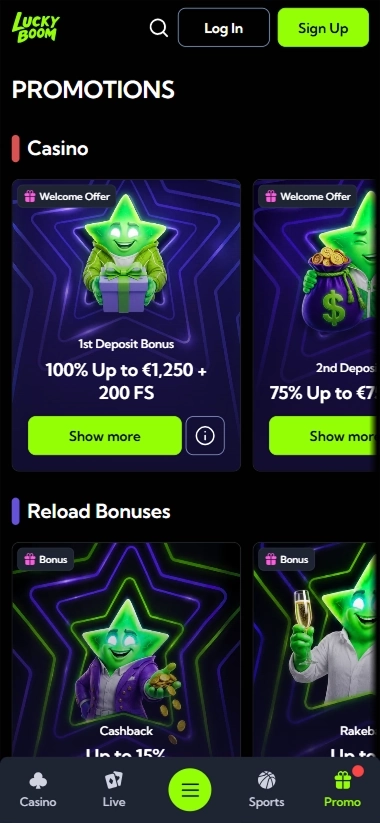
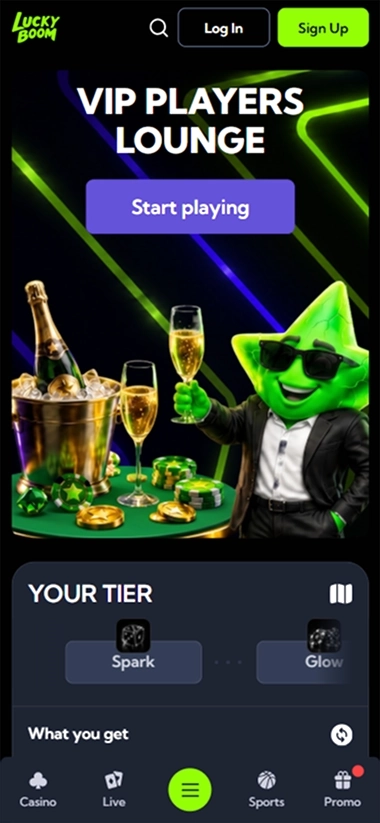
Menu and Navigation
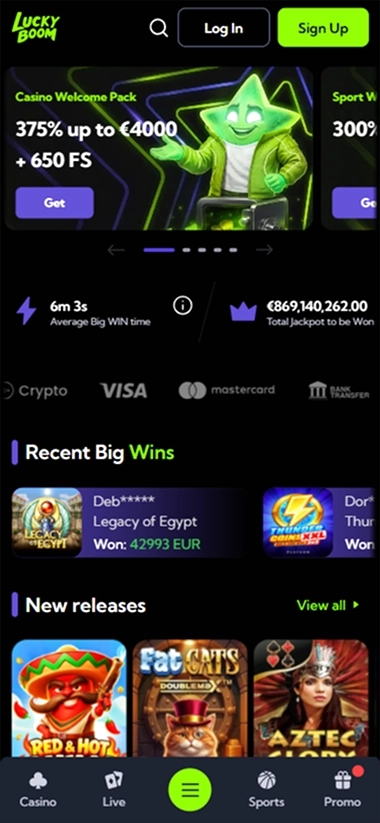
The main menu includes casino, live casino, sports, promotions and VIP. The game section has Hold and Win, Megaways and Jackpot Games collections, which spare you from scrolling through the whole library on a small screen.
Games and Betting on a Phone
The library opens without plugins: the Coin Strike and Thunder Coins series, the single-reel 1 Reel Fruits Craze, Evolution and Ezugi live tables, and crash games from Spribe, Aviatrix and Galaxsys. With a weak signal, live streams may load with a delay. The sportsbook covers football, tennis, basketball, ice hockey, chess, Formula 1, eSoccer and eHorse Racing.
What the Browser Version Lacks
- Push notifications. News about promotions and payouts arrives only by email and on the site.
- Offline mode. Without internet, neither the site nor the shortcut opens.
- A persistent session. After cookies are cleared, you have to log in again.
Players keep track of the promotion schedule themselves, for example Midweek Boost on Tuesdays and Wednesdays or Weekend Live on Saturdays and Sundays.
Responsible Gaming on a Smartphone
Self-exclusion for 1 day to 5 years is arranged by email to [email protected] and cannot be cancelled early. There are no deposit or playing time limits in the account, either in the mobile or the desktop version.
If Something Does Not Work
| Situation | What to do |
|---|---|
| The page displays with errors | update the browser and clear the cache |
| The shortcut asks you to log in again | log in again, this is how a browser session works |
| The password reset email has not arrived | check your spam folder and write to the chat |
| The 3-D Secure code does not arrive | contact your bank |
Verdict
On a smartphone, LuckyBoom Casino offers everything available on a computer, from signing up via Apple to withdrawing up to €5,000 to a card. The browser version lacks only push notifications and offline mode, and third-party APKs are best left uninstalled.